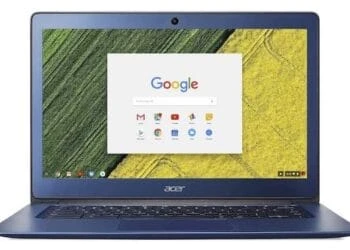
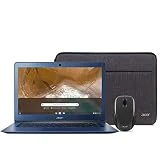
Chromebooks – laptops that run on Google’s Chrome OS – sometimes get a bad rap because the initial offerings looked cheap, felt disposable, and lacked speed. The Acer Chromebook 14 (CB3-431-C539) has none of these issues, thanks to its brushed metal lid and aluminum chassis that give it a sleek design and translate to great build quality.
When Pockeit picked up the 2019 version of the Acer Chromebook 14, we found plenty to love. However, the meager storage and low-res screen were flaws hard to ignore from an otherwise stellar value package.
Thankfully, these rough edges have been polished for the Chromebook 14 CB3-431-C539, which doubles the memory, and now sports a Full HD display with crisp visuals. So, is this the most ideal Chromebook and all-around portable we’ve been looking out for?
Design
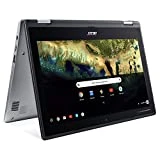
The Chromebook 14 will not transform into a tablet like the Acer Spin 11, but it has a simple-yet-sleek design, especially considering the low price tag. Its stylings have a whiff of the Apple MacBook, even though it’s about a third of the price. The blue metal finish on the lid makes it feel more premium, and that aluminum alloy chassis is as solid as they come. We can’t complain of any flexing or awkward joint, whatsoever.
For a 14-inch notebook, 0.67 inches thickness and 3.4 pounds are within the portable range, and that should excite you if you looking for something portable.
Connectivity is quite limited, considering the available space along the sides. You’re getting a pair of USB 3.0 ports, both on the left edge, an HDMI port, and a headphone/microphone combo jack. No microSD for memory card, or anything else of note.

Display
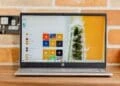
Over its budget-predecessor, the CB3-431-C539 gets a Full HD display that’s a joy to use. With a maximum 1080p resolution, you can get productive here, whether you’ll be editing documents or streaming some bits of the telly when you’re supposed to be working, the visuals stay top-notch.
Contrast is perfectly fine for a budget display, as it lets you make plenty of detail even on murky videos. Colors are surprisingly robust but don’t just expect hyper realism from a basic Full HD display.
Chromebooks like the HP Chromebook 14-db0020nr are touch compatible, which makes sense considering that the OS here is basically a spin-off of Android. However, that doesn’t add any practicality when you need to like edit a document, so its absence here isn’t a deal-breaker at all.

Keyboard & Touchpad
The Acer Chromebook 14’s build quality is replicated in the laptop’s keyboard and touchpad like they did in the Chromebook 15. For those in the market for an affordable machine that can churn endless essays, emails, and other typing-centric tasks, you can’t really go wrong here.
For one, the keyboard is a perfect size. Its chiclet keys give each key room to explore, so the touch typing experience is as comfortable as it is intuitive. However, key travel is limited, but the board feels reassuringly firm, and individual keys pop up instantly once hit. The keyboard isn’t backlit, but so far, we love the general feel and design.
We’re also impressed by the spacious touchpad, which covers most of the generous palm rest. It delivers subtle pinches and swipes that are accurately picked up by the smooth surface, while the cursor doesn’t jump all over the Chromebook’s screen every time you push to click.

Performance
Except for confusingly premium models such as the Google Pixelbook, every other Chromebook out there boasts modest processing power. Acer’s Chromebook 14 (CB3-431-C539) sits deeply inside the budget category, so we really didn’t expect blazing speeds. After all, Chrome OS is sweet and light when it comes to resources, so you don’t need much grunt to squeeze decent performance.
Our review unit, the Acer CB3-431-C539 packs an Intel N3160 chipset, with 4GB of memory and 32GB eMMC storage. That’s pretty enough when running Android apps and scrolling through plenty of tabs in chrome. Of course, you’ll see the occasional little stammer here and there with everyday use, but nothing will be too troublesome.
However, the Chromebook will have a total meltdown if you decide to overload it. Thankfully, it recovers immediately after you close some apps and you won’t see a repeat performance. Of course, restarting everything to get the notebook back up is a pain especially if you hadn’t saved your files.
Battery Life
On battery life, Chromebooks are generally very dependable. That’s partly due to Google’s undemanding OS and the low-powered components that are a boon for longevity, although not all Chromebooks live up to expectations. With the Chromebook 14 CB3-431-C539, you’re getting a full workday (just over 11 hours 29 minutes) on mixed-use on a single charge, no problem.
Bottom Line
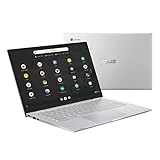
The Acer Chromebook 14 (CB3-431-C539) is a stellar notebook that delivers strong battery life, sharp visuals, and impressive usability at a very good price. It isn’t particularly compact and connectivity is weak, and if you’re looking for a truly portable Chromebook for taking on the road each day, you should look to more compact and light competitors like the ASUS Chromebook C425.
That said, for those looking for a stylish design and durable build, the Acer Chromebook 14 (CB3-431-C539) might just be the ideal device.
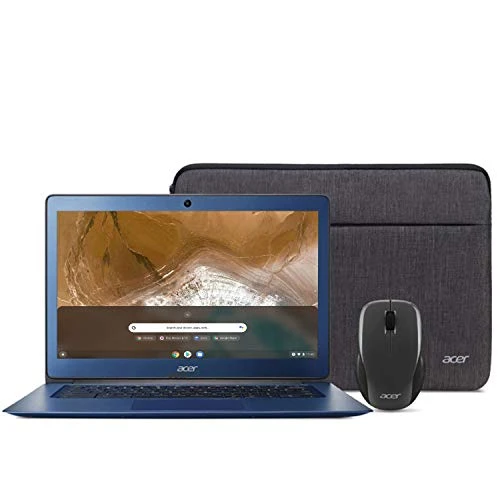
Acer Chromebook 14 (CB3-431-C539)
The Review
Acer Chromebook 14 (CB3-431-C539)
The Acer Chromebook 14 (CB3-431-C539) is a stellar notebook that delivers strong battery life, sharp visuals and impressive usability at a very good price. It isn’t particularly compact and connectivity is weak, and if you’re looking for a truly portable Chromebook for taking on the road each day
PROS
- Solid build
- Full HD display
- Fairly priced
CONS
- Dull design
Review Breakdown
-
EDITORS RATING