
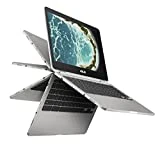
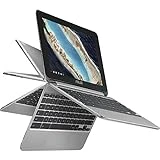
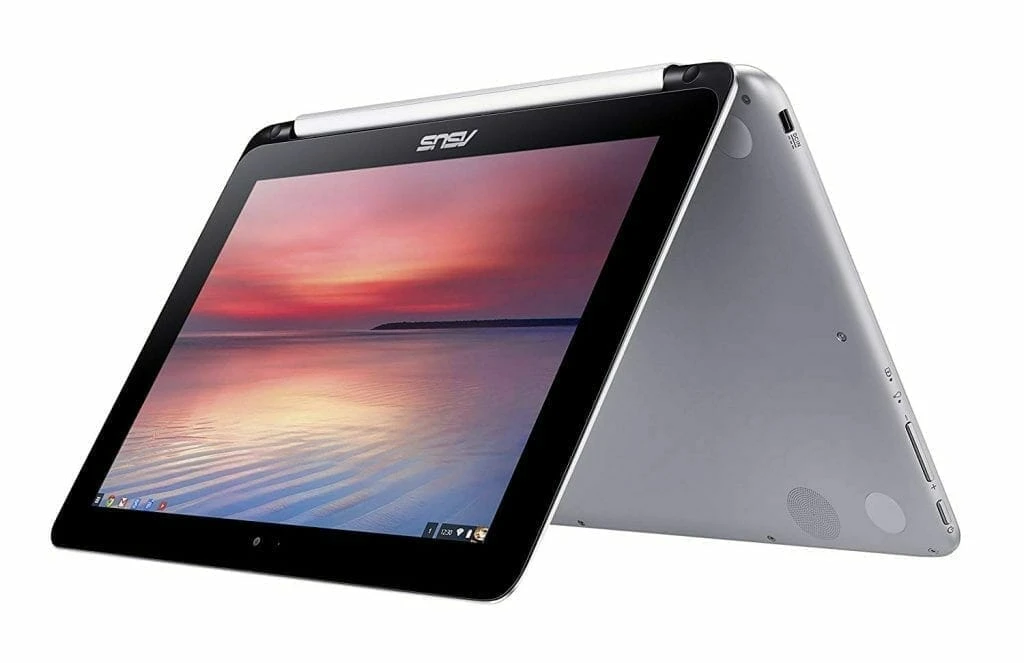
Asus has made a great version of a convertible device that is both a tablet and a Chromebook. The Asus Chromebook Flip C100 is a laptop with a glorified web browser as its operating system. It’s fast, nimble, safe and secure since it automatically updates when you go online, you always have the latest version of Chrome, safe from malware and viruses. I
t has a 10-finger IPS touchscreen that can flip over from 0 to 360 degree allowing you to use it in laptop or tablet mode. A 1.8GHz quad-core Rockchip processor anchors the system, backed up with 2GB of RAM and 16GB of storage.
You get 802.11ac Wi-Fi, which is nice, as well as Bluetooth 4.1, USB 2.0, and a Micro SD card slot that can take SDXC cards if you need the extra storage. It also boasts a 9 hour battery life. With its portability, the device fits for home, office and school use at a pocket friendly price.
Design
At 10.1 inches, the Asus Chromebook Flip is a thin laptop measuring 10.6 x 7.2 x 0.6 inches and just weighs 890g, which is almost the same footprint as the Asus Chromebook Detachable CM3. It surpasses the 11.6 inch machines in the competition like the Lenovo IdeaPad N20P and Acer Chromebook CB3-111-C670 which measure 11.6 x 8.34 x 0.70 inches and 11.34 x 8.03 x 0.79 inches, and weigh 1.4kg and 1.30kg respectively. The device promises durability as it comes with a silver all-metal chassis which is much stronger and premium-feeling than most of its plastic-built relatives.
The 10.1 inch LED Backlight display has LCD high definition IPS panel with a 1280 by 800 pixels resolution that allows you to use the flip as a tablet or a laptop conveniently. The most important aspects of this display all meet or exceed expectations since it’s bright, has solid colors, is very responsive to touch, and has really good viewing angles.
You can’t complain about the resolution much when it checks all of those boxes. The device also integrates a Mali-T674 graphics card that enables the device to be used with a 4K monitor thereby offering superb performance in H265 video decoding and 3D applications. It also comes with stereo speakers for offer a fitting level of sound for your entertainment.
Connectivity
When it comes to connectivity options, the Chromebook offers a variety for connecting your peripherals and accessories. It features on the right side 2 USB 2.0 Ports (missing the latest 3.0 USB Port), a micro HDMI port that comes in handy when connecting to an external monitor or to a much bigger screen HDTV, 3.5mm Headphone Jack and MicroSD Card Reader. The left side is barer, holding just the charging port.
Above the display is a 720p webcam. It also has Bluetooth 4.1 and 802.11ac wireless for internet connectivity thereby making the compact convertible Chromebook pretty good. The Chromebook lacks an Ethernet port and an optical drive is also missing which is not necessary since Asus had to keep the weight in check, at less 2 pounds. The most amazing features that come with the Chromebook include the virtual keyboard handwriting, voice recognition and Google Now with the touch optimized Chrome OS.
Performance
The The Asus Chromebook Flip C100 sports a quad core Chinese Rockchip 288-C ARM Cortex A17 processor at 1.8GHz speed, which is more appropriate for the portable device given that the Chromebook is for light internet use. We know less about the performance of the Rockchip processor but it compares well to the NVIDIA Tegra in different benchmarks and it serves the main purpose of accessing the internet adequately.
Additionally, the ARM based Chipset keeps the Flip running without fans and keeps battery life long. It has 2GB DDR3 RAM memory which is also fine at this point and a 16 GB SSD of storage that offers speed. There is no much worry concerning the 16 GB storage size given that you will depend more on the cloud based storage.
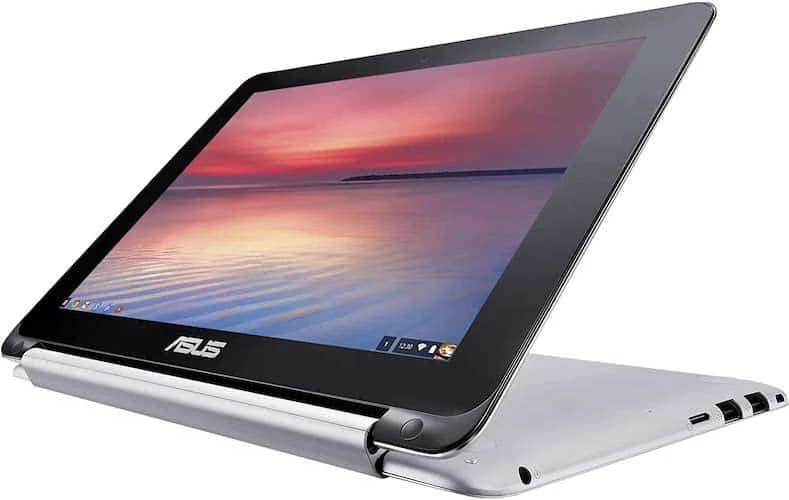
There is no number pad on the side and many people prefer the keyboard without, but the keys are quite wide and nicely spaced out and the one piece touchpad underneath the space key is a user-friendly one. Google also redesigned the on-screen keyboard, making it more minimalist and giving it a handwriting-recognition feature. Tapping the three-dot icon next to the space bar brings up a few options: an emoji keyboard, the handwriting keyboard and settings. In handwriting mode, you can use your finger to draw words, and the top bar recognizes them and suggests text to input.
The Chrome OS debuts a new feature on this device with the ability of unlocking the notebook using your android phone. Once your handset connects with the Flip though Bluetooth, the screen of the flip automatically unlocks when you unlock your phone. In order to completely open the desktop, you will have to tap on your profile photo. The feature is useful more especially if you forget your Google password.
Verdict
There is nothing cheap about this Chromebook except its price, the features are astoundingly good for this category given that it’s a first of its kind, save for the Toshiba Chromebook 2. The Asus Chromebook Flip C100 hits more than it misses, adding features and materials rarely seen in this price range, plus great battery life. However, remember that you can also get a full Windows laptop, tablet, or mini-desktop (but usually not a hybrid) for even less, which gives you more options than ever to consider for low-cost computing.
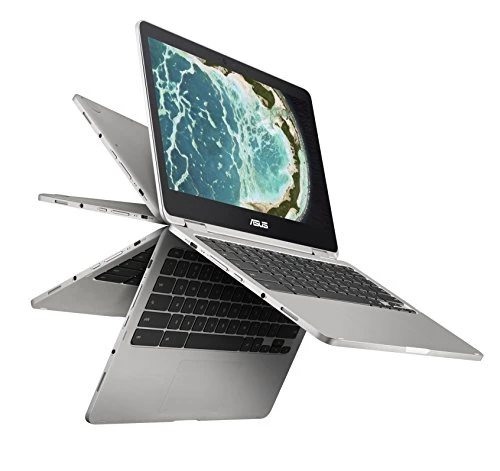
ASUS C302CA-DHM4 Chromebook Flip 12.5-inch Touchscreen Convertible Chromebook, Intel Core m3, 4GB RAM, 64GB Flash Storage, All-Metal Body, USB Type C, Corning Gorilla Glass, Chrome OS
The Review
Asus Chromebook Flip C100
There is nothing cheap about this Chromebook except its price, the features are astoundingly good for this category given that it’s a first of its kind, save for the Toshiba Chromebook 2.
PROS
- All-day battery life
- Sturdy build
- Feels well built
CONS
- Ugly thick bezels
Review Breakdown
-
EDITORS RATING