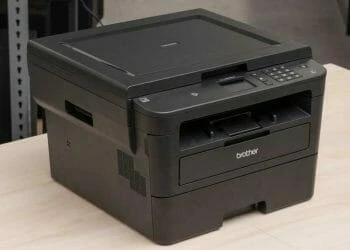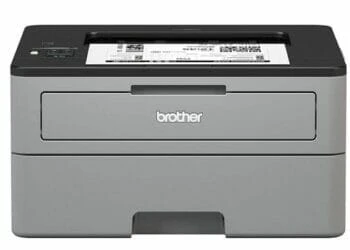

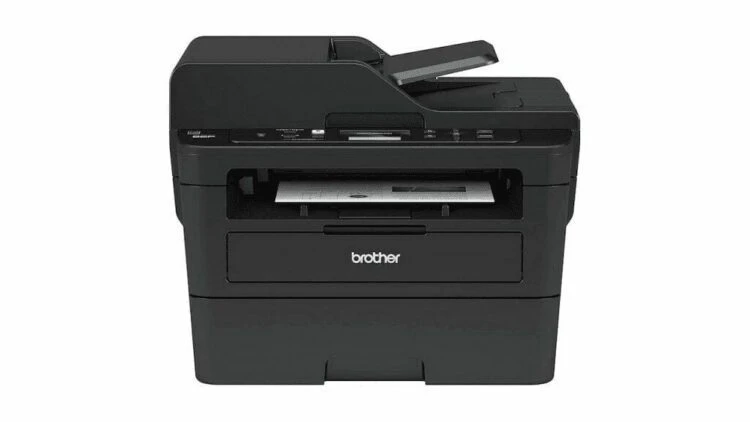
The Brother DCP-L2550DW Monochrome Printer and Copier makes for a great printing and photocopying solution for small offices and busy homes. This model is the successor to the Brother DCP-L2540DW printer and copier.
The improved features and enhanced efficiency and convenience of this model make it versatile and capable enough for your small home-office printing needs, without spending too much.
Brother DCP-L2550DW Specs
- Dimensions in inches: 15.7 x 16.1 x 12.5
- Weight in pounds: 25.6
- Print Technology: Electrophotographic Laser
- Maximum Print Speed: 36 pages per minute
- Maximum Print Resolution: 2400 x 600 dpi
- Interfaces: Hi-speed USB interface, Wireless 802.11b/g/n, Ethernet interface.
- Maximum/ Standard Memory: 128 MB
- Automatic duplex printing capability: Yes
- Maximum Copy Speed: 36 cpm
- Maximum Copy Resolution: 600 x 600 dpi
- Maximum Scan Resolution: Optical Scan: 1200 x 1200 dpi
Printing Quality
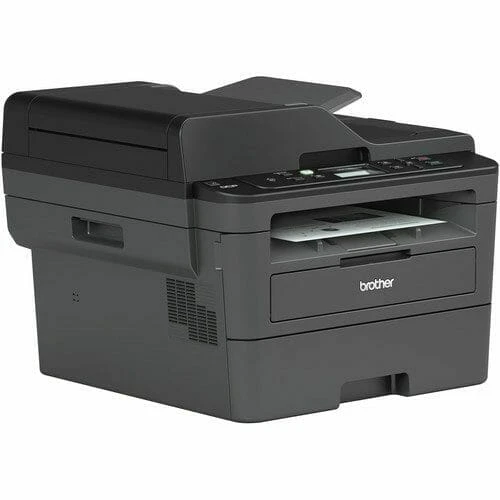
The Brother DCPL2550DW and its predecessor, the Brother DCP-L2540DW, share a lot of similarities especially in their printing engines, the former has more advanced printing features and capabilities. The Brother DCP-L2550DW has better print quality compared to the DCPL2540DW model. With above-average graphics and text printing, the print-outs are legible irrespective of the font size or type.
Performance
The DCP-L2550DW has immensely improved features compared to its predecessor small printers like the HP OfficeJet 3830 that we reviewed last month. It uses an automatic document feeder that allows up to 50 sheets of paper at a go.
The Brother DCP-L2550DW model also allows scanning and copying multiple pages with a splendid printing speed of 36 pages every minute. This increases the overall printing and scanning efficiency significantly. With a reliable wireless connection, this printer-cum-copier allows users to print from connected wireless devices.
This model allows printing from a wide range of devices such as laptops, tablets, smartphones, and desktops. The alternative to printing via a wireless connection is using the Ethernet interface. The Ethernet interface feature can be shared by multiple users on a particular network. Besides, a user can connect to the printer locally from a single desktop using a USB interface.
Ease of use & maintenance
The Brother DCP-L2550DW multi-function printer and copier are characterized by enhanced efficiency and high speed. The paper tray can hold as much as 250 sheets of paper in legal or letter size. The 250-sheets-of-paper capacity eliminates the need to keep refilling the tray. Additionally, the printer’s automated duplex printing capability saves printing paper while creating documents with a professional look. Using the Brother Genuine great functioning replacement printer cartridges (TN 760) also saves a lot of money.
Bottom Line
The Brother DCP-L2550DW offers exceptional service to users seeking printing solutions at home or in small offices. Going by the available competing monochrome laser multi-purpose copiers and printers at this price range, this affordable printer is, certainly, a good choice.
That being said, if you are seeking to acquire an economical, highly-efficient, and user-friendly printer and copier, then the Brother DCP-L2550DW is a reliable choice for your printing needs.
The Review
Brother DCPL2550DW
The Brother DCPL2550DW offers exceptional service to users seeking for printing solutions at home or small offices. Going by the available competing monochrome laser multi-purpose copiers and printers at this price range, this affordable printer is, certainly, a good choice.
PROS
- Enhanced efficiency
- Increased productivity
- Wireless printing capabilities
CONS
- Relatively low monthly printing duty cycle
Review Breakdown
-
EDITORS RATING