
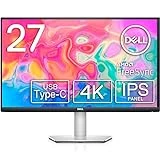
The Dell S2722QC 27-inch 4K monitor is unique among its peers. While most monitors have been keeping pace with ever-increasing refresh rates and top-notch resolutions, their aesthetics has been, in most cases, lacking.
Apart from a logo and some RGB, most monitors could best be described as bald. However, that’s not the case with the Dell S2722QC, which seems to draw its inspiration from the classy arctic white Dell XPS.
Elsewhere, it offers more than just a beautiful design. The Dell S2722QC monitor leverages its design with a quality, high-res panel with superb ergonomic adjustments and multitasking features for productivity hounds. Add in sweet built-in audio, and this display is almost perfect for any office setup.
The 27-inch monitor does come with a few flaws for one seemingly created for working professionals. Not only does it lack true HDR, but it also comes with a standard 60Hz refresh rate as well. Anyone considering this for Esports will be turned off by its slow response rate, even with AMD FreeSync included.
However, this is a productivity monitor, and some of those features really don’t matter, so we can’t really find any major fault with the Dell S2722QC.

Dell S2722QC Specs
- Screen Size: 27 Inches
- Resolution: 3840 x 2160 4K UHD
- Aspect Ratio: 16:9
- Panel Technology: In-Plane Switching (IPS)
- Refresh Rate: 60Hz
- Response Time: 4ms
- Contrast Ratio: 1300:1 (Static)
- Brightness: 350 cd/m²
- Speakers: Yes (2 x 3 Watts)
- Stand: Height – Yes
- Stand: Tilt – Yes
- Stand: Swivel – Yes
- Stand: Pivot – Yes
An Attractive, yet subtle design
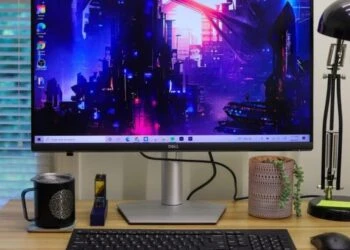
A monitor can go a long way in adding some vibe to your home office. The Dell S2722QC rocks a silver, trapezoid-like base and thin bezels, making it a stylish-looking screen, despite the more moderate price for a 27-inch 4K monitor. The screen has thin (1mm) bezels on all sides, except for the lower bezel with a Dell logo.
Sure, this isn’t an invisible border, but it’s still quite minimal whether the screen is on or off, in fact, trimmer that the bezels you get on other 4K monitors, including the Asus VP28UQG. The backside is a mix of colors, neither silver nor gray, but rather a sort of white-gray. It looks more of Dell’s XPS laptops, but a single color would’ve been more polished.
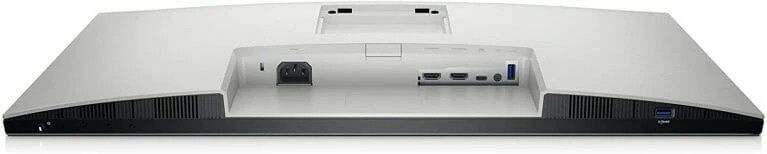
Connectivity options are excellent for a productivity monitor – two HDMI 2.0, USB-C (with DisplayPort and 65 watts Power delivery), and two USB-A 3.2 Gen 1. The underside has two bottom-firing speakers, as well joystick buttons for controlling the on-screen display (OSD) and the power button.
The Dell S2722QC will take up about 24.08 x 6.88 (LxW) on your desktop. It’s a sturdy display, yet it offers endless flexibility: -5 to 21 degrees tilt, 30-degree swivel to each side, height adjustment of 2.5-5.5 inches (63.5 – 139.7mm). The stand also allows for vertical adjustment into portrait mode, which is somewhat rare in a budget monitor. Height adjustment also lets you align the monitor with your line of vision, for a comfortable working position.
Display and Performance
With its out-of-the-box settings, the Dell S2722QC is a reliable workhorse. Its brightness is ample, even with the monitor facing a door letting in daylight in. The monitor’s default settings are at 77% max brightness, and you might never feel the need to dial it up.
Colors on Windows look as expected, including the turquoise on the Pockeit’s website. You’ll not see any immediate or pressing color issues. For productivity, the monitor renders spreadsheets nicely and small text looks sharp in 4K, allowing you to work with numerous spreadsheets and windows. There’s an included Dell Display Manager app that enhances productivity even further, and docking windows is pretty straightforward on this monitor.
Perhaps the only nitpick here is screen uniformity. While this can vary from unit to unit, the Dell S2722QC tends to show some subtle uniformity issues, particularly with a mostly white screen. The borders look slightly darker, creating a shadow-like effect. But you’d have to be looking very hard at a white screen to notice the issue, but it’s a common issue in this category.
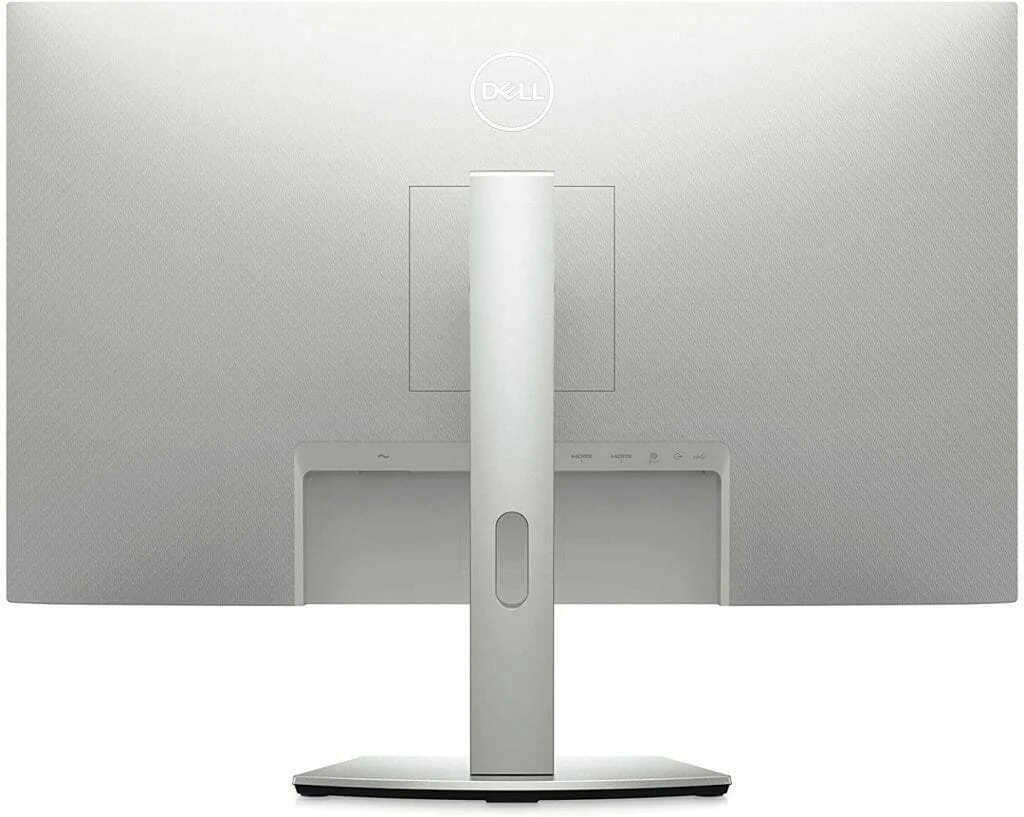
As far as the display itself, the 27-inch IPS panel looks great, with a 1300:1 contrast ratio and 350cd/m2 peak brightness, and of course, 4K (3840 x 2160) resolution with a 60Hz refresh rate. We find the colors to be accurate and rich while the screen looks as crisp and detailed as you would expect at that resolution. It’s bright enough at 350 nits, though we’re disappointed that it doesn’t inherit the new XPS’s 500-nit brightness.
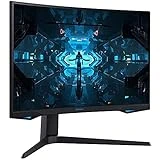
Between the Dell S2722QC’s 60Hz refresh rate and 8ms response time, which can be overclocked up to 4ms, not particularly fast (hardly surprising for a 4K screen). Anyone needing a speed monitor for gaming will want to look elsewhere, at something like the Samsung Odyssey G7 that we reviewed a few days ago.
Still, for watching movies and playing modern AAA titles like Red Dead Redemption 2 or Metro Exodus, the Dell S2722QC is excellent. While it elicits some stuttering when hooked up to an RTX 3080 equipped PC, turning on adaptive sync mostly eliminated any performance issues, so that’s more the PC than an issue with the monitor itself.
Verdict – With looks to match
The Dell S2722QC is an excellent monitor with a stylish design, offers a detailed and rich 4K screen with very useful multitasking features. While it does have a few missteps, especially that low 60Hz refresh rate and 8ms response that will not excite pro-gamers but used as a professional productivity monitor, it’s a tremendous value.
With that said, the S2722QC doesn’t sacrifice much, especially if you’re not keen on doing any serious gaming. You get a versatile stand, with tilt, swivel, height, and portrait adjustments. Plus, with your own DisplayPort cable, you can connect two PCs and view both on the Dell S2722QC simultaneously.
This is a monitor designed with careful consideration for professional creatives trying to get stuff done. We only wish its HDR were better and the OSD control a little easier. Overall, the Dell S2722QC 27-inch 4K monitor brings reliable, colorful image along with some extra features to sweeten the pot. In the 27-inch budget 4K category, it is an excellent choice.
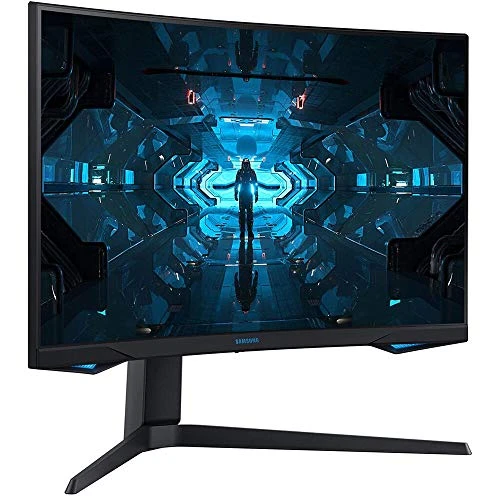
SAMSUNG Odyssey G7 Series 27-Inch WQHD (2560x1440) Gaming Monitor, 240Hz, Curved, 1ms, HDMI, G-Sync, FreeSync Premium Pro (LC27G75TQSNXZA)
$614.00 in stock
5 used from $449.42
The Review
Dell S2722QC
The Dell S2722QC is an excellent monitor with a stylish design, offers detailed and rich 4K screen with very useful multitasking features. While it does have a few missteps, especially that low 60Hz refresh rate and 8ms response that will not excite pro-gamers, but used as a professional productivity monitor, it’s tremendous value.
PROS
- Classy design
- Great looking screen
- Unique multitasking features like PiP
- Affordable
CONS
- Slow response rate
- Not true HDR
Review Breakdown
-
EDITORS RATING