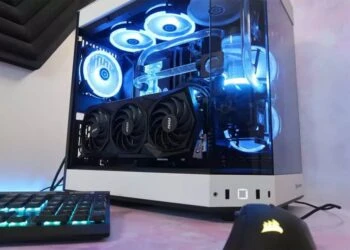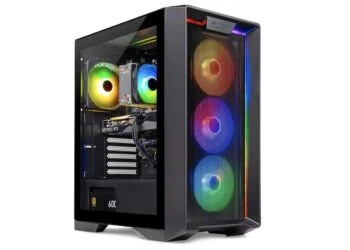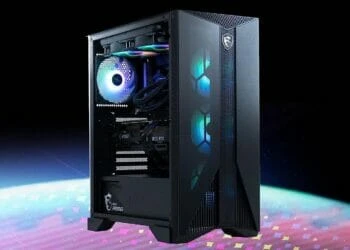

When we sit back and think of the role of boutique PC builders in 2020, it’s to create some of the most impressive custom PC builds that can you can’t create yourself. The iBUYPOWER Pro Element MR9700v2 arrives in a time where building your own gaming rig is easier than before and other custom PC manufacturers are creating unique chassis and custom cables that are certainly a sight to behold – you only need to look at the Skytech Chronos to appreciate that.
So, the iBUYPOWER Pro Element MR9700v2 is basically a nice-looking case, and it’s genuinely a pretty decent gaming PC, you aren’t paying a huge premium for what amounts to a pretty nice build. For instance, the configuration we’re reviewing (AMD Ryzen 3 3100 3.6GHz, AMD Radeon RX 570 4GB, 8GB DDR4 RAM, 240GB SSD, 1TB HDD) will set you under one grand. When you compare that to the HP Pavilion Gaming PC with the same parts, you’re paying a few hundred dollars more to have the same PC built for you. That’s a huge chunk of change.
Design
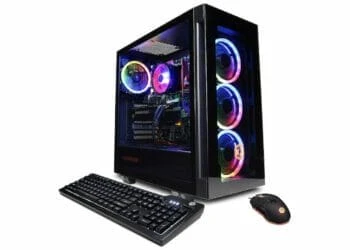
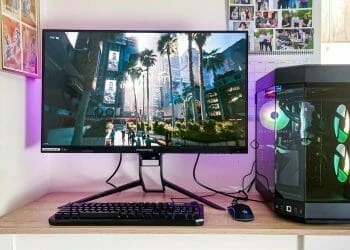
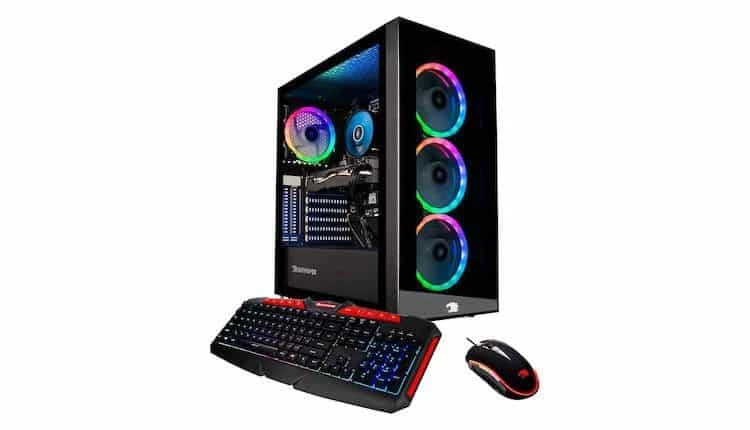
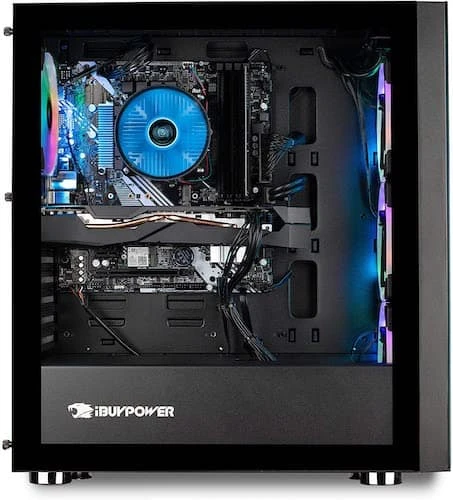
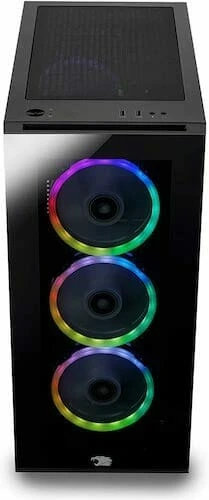
Those who are inclined to over-the-top gaming looks will find the iBUYPOWER Pro’s aesthetic quite appealing. Not that it’s screaming, but it has gaming flair of its own – you get a glass side panel to show off the innards, spotlighted by the RGB lighting on the chassis ceiling and glass front panel with a trio of beaming LED fans. The façade has its upper and lower sections squared, reminiscent of the iBUYPOWER logo at the bottom.
Beyond that, however, the Element MR9700v2 doesn’t have any design frills, which we honestly like. We also like it for its black chassis theme, that reminds us of the old towers, in that it’s a straight up rectangular tower – except that it’s painted black. Like its predecessor, it boasts a tool-less design, even if it isn’t extensive. The side panel pops open effortlessly, all you need to do is undo a few thumbscrews on the side glass panel. This gives you easy access to the interior, especially if you’d like to upgrade or customize.
The iBUYPOWER Pro has a diverse number of available ports, also like the CYBERPOWERPC Gamer GXiVR8060A8, with some in the front and a few others in the back so you have different ways of connecting your various peripherals and devices. Our review unit comes with its own keyboard and mouse. They’re certainly not the best for gaming, but since most, if not all, gamers invest in peripherals specifically designed for gaming, getting into these details isn’t necessary.
Productivity Performance
iBUYPOWER offers different model configurations to choose from depending on your budget and needs. Our review model is a mid-tier configuration, powered by an AMD Ryzen 3 3100 processor, 8GB of RAM, 240GB SSD, 1TB HDD and a dedicated AMD Radeon RX 570 (4GB) graphics card, that should have acceptable performance for most triple-A titles like Fortnite, but it’s slightly below the capabilities of the midrange SkyTech Shiva we reviewed recently.
The priciest preconfigured model in this series is the iBUYPOWER MR92790, that packs an Intel Core i9-9700F processor, Nvidia GeForce RTX 2060, 240GB SSD, 1TB HDD and 16GB RAM. It runs at stock speeds, but the MR92790 is ready for real-world productivity and content-creation workflows. When not playing, you can use it for media editing, MS Office tasks and pretty everything you’d want to do on a mainstream desktop PC.
Gaming Performance
For a 1080p-optimized machine, the AMD Radeon RX 570 (4GB) does a god job playing modern games, delivering better frame rates per second (FPS) than its closest rivals, when playing at 1080p. It plays Battlefield V at 1080p (Very High Quality) at 74fps, which is slightly higher than the Radeon RX Vega’s 64 fps, much better than the GTX 1060’s 58 fps played at the same settings.
The same solid performance is replicated on games like Far Cry New Dawn, (102 fps, 76 fps, 71 fps) and Battlefield V (135 fps, 87 fps, 74 fps), respectively –med, High and Ultra settings. Since the Radeon RX 570 manages to deliver smooth playability on modern titles like Shadow of the Tomb Raider and Far Cry 5 at over 60 fps, it’s a clear win for gamers looking for a midrange system for modern gaming but on a tight budget.
Bottom Line
The iBUYPOWER Pro Element MR9700v2 is one of the most customizable budget PCs in the computing world. Beyond picking out the exact specs as you want, the easy access and flexible motherboard mount makes it simple to setup the PC for your space with the option of a top-down upgrade.
Apart from the extra-large mid-tower and feeling a little chintzy, we have no qualms with this mid-sized budget machine. That said, the SkyTech Shiva remains our Editors’ Choice for budget gaming desktops, thanks to its AMD Ryzen 5 2600 processor and Nvidia RTX 2060 graphics card. However, if you’re on a tight budget, the iBUYPOWER Pro Element MR9700v2 is an attractive PC that gives you plenty of room for upgrades and puts all controls within easy reach.
The Review
iBUYPOWER Pro Element MR9700v2
The iBUYPOWER Pro Element MR9700v2 is one of the most customizable budget PCs in the computing world. Beyond picking out the exact specs as you want, the easy access and flexible motherboard mount makes it simple to setup the PC for your space with the option of a top-down upgrade.
PROS
- Good gaming performance
- Pristine custom build
- Standardized parts
CONS
- No USB-C port
Review Breakdown
-
EDITORS RATING