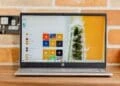
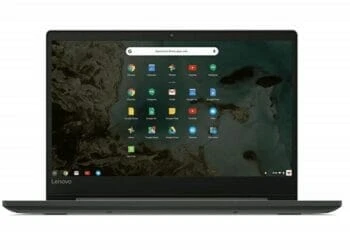
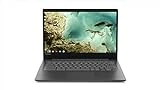
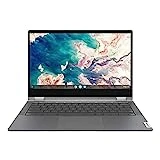
Need a new notebook without spending lots of money? Or, just want an extra machine for college, web browsing and occasional YouTube videos? If you don’t mind Chrome OS, then, the Lenovo Chromebook S330 (81JW0001US) might be what you’re looking for. It’s affordable. It’s smart. And, it’s useful for the office as it is for college.
But does the S330 bring enough performance and convenience?
More: Best Laptops under $500
Lenovo Chromebook S330 -Design
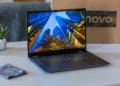
This is not Lenovo’s first shot at an affordable Chromebook, but the company knows how to make a durable, stylish laptop. The Chromebook 81JW0000US is made from a couple of sheets of thick plastic, colored a subtle Business Black. It’s a nice finish, though it tends to pick fingerprints on the lid. Plus, it might not have the unique look of the Pixelbook, but it looks every bit as the premium Lenovo Yoga Chromebook C630, the obvious Intel Core alternative.
The Lenovo S330’s design is more than skin deep, with a feel of a laptop twice its price. You won’t find creaky or sagging panels here, which are commonplace in laptops under a thousand bucks. That holds true of some of our favorites in the budget-oriented category, such as the Acer Aspire 1 and Acer Chromebook Spin 15. This Chromebook outdoes them all.

Display
Lenovo claims to offer the Yoga Chromebook with the first ever 4K display, but we’re waiting for the model to go up for sale. As of now, we’ll do with the more modest 1,920 x 1,080 panel. Still, for the average user, this resolution is good enough. It’s an TN display, so viewing angles aren’t that great, like you’d find in an IPS display.
It’s not overly bright, though, its bright enough to overpower the usual office glare. If you’ll keep the brightness at around 80 percent, everything will be visible in most situations. Alternatives like the HP Chromebook 14 and Acer Chromebook 514 are brighter.
Ports
Connectivity options on the Chromebook 81JW0000US are adequate, but they might be lacking for some users. The left side holds a USB-C (DisplayPort and power connector), USB 3.0, and HDMI ports as well as an SD card for extended storage. Just like most Chromebooks running on Google Chrome OS, the system comes with 100GB of Google Drive cloud storage for two years.
On the right, there is an audio jack, a power button, a volume rocker, and Kensington lock slot. The included USB Type-C port as the sole DC port, and can be used as a DisplayPort connection. So, you have fairly limited connectivity options especially when it comes to charging the Chromebook.

Inputs
In addition to a slick design, the keyboard is one other nice feature you need to watch out for. It is laid out in a familiar Chromebook pattern, with a search key that replaces the Caps Lock, with dedicated buttons for browser navigation, brightness, and volume keys along the top row. It feels comfortable and snappy to use, something most folks migrating from Windows will appreciate, but keep in mind that it lacks Page Up/Page Down and Home/End keys.
The touchpad is responsive and works as expected. The hinges open up to 180 degrees, meaning you can lay the laptop flat on a table, although it lacks rubberized edges to keep it from skidding when used in the flat orientation.

Performance
Intel Core M-Series and Core i3-i5 Series CPUs might just be perfect for powering Chromebooks (budget and premium, respectively) as they offer better performance than average Celeron chips. Our review unit is fitted with a 2.1GHz MediaTek MT8173C processor, 64GB flash storage and 4GB RAM – a combination that doesn’t offer much for multitaskers but if fine-tuned for basic users, especially students.
It will let you execute basic computing functions, such as allowing you keep multiple browser tabs open and stream YouTube videos. The system is good for light graphical loads, since the Intel UHD Graphics 620 lacks the muscle for gaming, but is well suited for streaming online media art 1080p/60fps.
You can extend the display to an external monitor via the HDMI/USB-C port at 4k/30Hz, but you may not get smooth pixels. For Full HD or lower, you’ll be much ok.
If I were to rate the Lenovo S330 convertible’s performance, it’s rightly placed it in the middle of Chromebooks we’ve reviewed before, though its performance comes behind the likes of HP’s Chromebook x2, which leads the pack of low-cost ARM laptops. Tabs launch swiftly and the system doesn’t get slowed down with a dozen browser tabs active. Regardless of the actual specs, this Chromebook performs well something most users will appreciate at this price point.
More: The 10 Best Laptops for College Students
Battery Life
Chromebooks are very excellent with battery life, and the Lenovo Chromebook S330 doesn’t lose the chase. Its 45 Wh battery manages just over 10 hours on typical use, that includes continuous streaming and refreshing web pages, with screen brightness set at 150 nits.
This means that it can easily last a full day at work or school, something you will be hard pressed to crack on a similarly priced Windows notebook. All you need is 1.5 to 2 hours to have the Chromebook fully charged.
The Bottom Line
Lenovo’s newest Chromebook S330 has three redeeming features: It’s one of the most affordable Chromebooks on offer, it’s nicely designed, and it gets a great battery. But it’s also not very fast for use on complex tasks, and it functions rightly as a budget notebook.
Is there a better alternative?
There isn’t a Windows 10 laptop anywhere near this price that compares in build quality, performance and battery life. The only one that comes really close is the Lenovo IdeaPad 330, though you won’t get near the portability, both in battery life and chassis size.
In the Chromebook space, however, there are serious competitors. The ASUS C302CA-DHM4 is one such example, with an Intel Core m3 processor, 4GB RAM and 64GB flash storage. Also, if you fancy a 2-in-1 design with a touchscreen, Lenovo’s Chromebook C330 delivers an excellent convertible experience.
Should you buy it?
Yes. If you’re in the market for a premium-feeling Chromebook – or even just an affordable laptop – the Lenovo Chromebook S330 (81JW0001US) is an excellent option.
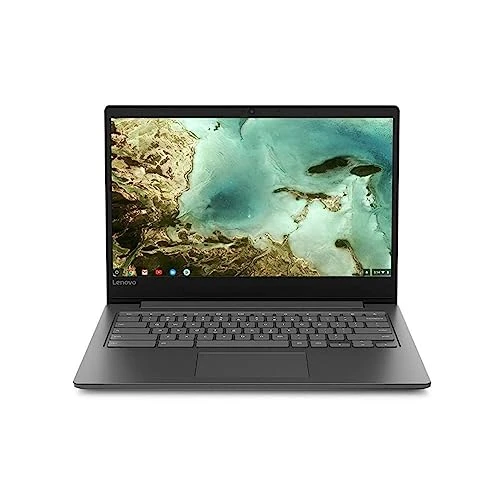
Lenovo Chromebook S330 Laptop, 14-Inch FHD (1920 x 1080) Display, MediaTek MT8173C Processor, 4GB LPDDR3, 64GB eMMC, Chrome OS, 81JW0000US, Business Black
$191.00 in stock
10 used from $97.17
The Review
Lenovo Chromebook S330
The Lenovo Chromebook S330 (81JW0000US) has three redeeming features: Affordable, sleek design and great battery life than most competitors
PROS
- Very affordable
- Lightweight
- Decent battery life
CONS
- Poor display viewing angles
- Middling performance
Review Breakdown
-
EDITORS RATING