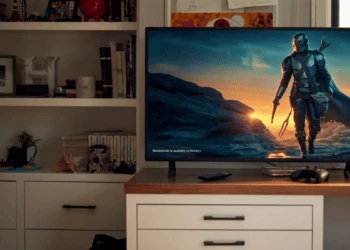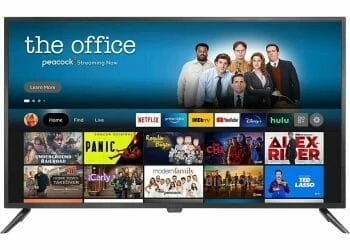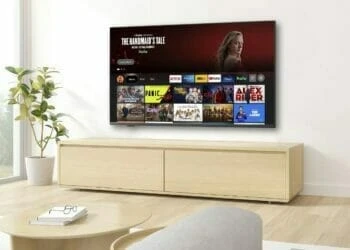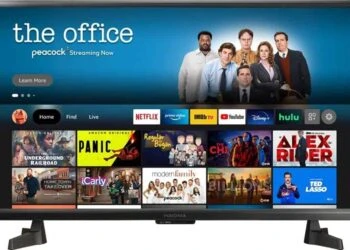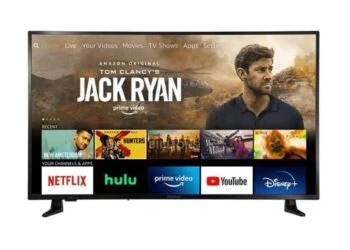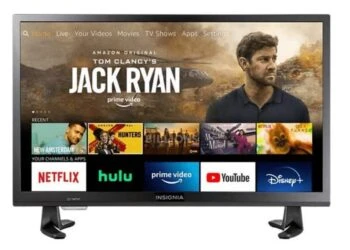
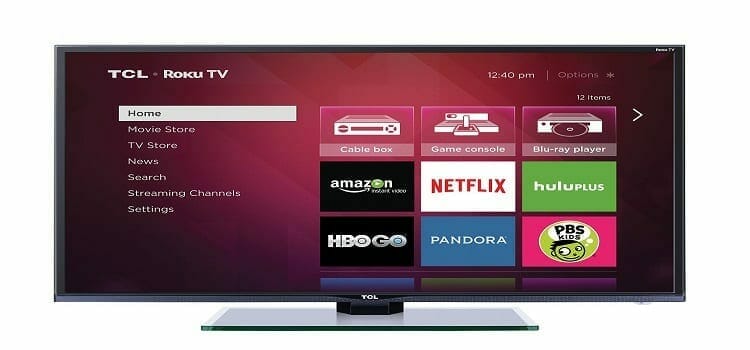
Typical Smart TVs aren’t any better ‘connected’ than traditional sets, but when it comes with Roku’s smarts, then that is something else. The 32-inch TCL 32S3700 is one of those sets that offer plenty of connected features backed by the Roku TV platform. The Roku platform offers most, if not all, of the features you could want on a lazy day, plus some customizations, menus and advanced search that even a child can use.
It uses a 720p panel, which delivers surprisingly accurate colors out of the box, though other budget models like the VIZIO E32-C1 use 1080p panels. If your prioritize picture quality for every dollar you spend, then by all means go Vizio, but if need picture that is ‘good enough’ and on a shoestring budget, then its TCL 32S3700 Roku TV all the way.
Design
On the 32S3700, you have the simple, unassuming design of a budget television. It sports glossy plastic bezels (half-inch) that mimic a picture frame’s slight inward taper. Supporting the TV are two V-shaped plastic feet that offer some stability, but just like all sets with curved feet, they aren’t meant to be kept at the edge of your table or cabinet as they can tumble forward quite easily. On the front is silver accent, and a dual TCL and Roku TV logos.
The real kicker in the Roku TV must be the remote and its onscreen menus.
We haven’t seen a full-function TV remote with simplified functionality that can match the Roku TV. It has the same miniature size as the one used on Roku devices, and only has a signature purple cursor control, and a couple of navigation and video control buttons, and a volume/mute button on the side. On other Roku TV remotes, like those on Sharp and Insignia models, you’d find dedicated buttons for game mode and sleep timer. Here they’re absent, you’ll have to dig deeper into the menu to activate those functions.
Also, on the remote you have four app shortcuts, branded for that matter: Netflix, Amazon Instant, Rdio and Vudu. It’s always convenient to have a dedicated button for Netflix and Amazon Instant, but I’d prefer to have popular apps like YouTube and Pandora to Radio and Vudu that I rarely use.
Setting up the TV is simple. All you have to do is sign on to Wi-Fi, link the TV to your Roku account (Roku.com) and on your PC or tablet you’re presented with a list of channels. The channeled are installed by default, so you’ll have to add/remove some immediately. By all standards, no other smart-TV offers such an intuitive and simple link to a companion website for all your searches, additions, or deletion of apps on the site as well and on the TV itself.

Performance
Let’s face it: the TCL 32S3700 is an entry-level TV; and it remains that way. No extraordinary dimming. No high refresh rates. No fancy 3D either. In the FS3800 Series, all the other models use 1080p-resolution LCD except for the 32-inch TCL 32S3800 and TCL 32S3700 (maybe the missing ‘F’ means Full HD), which uses a 720p (1,366×768) panel. All sets in the series use direct/full-array backlighting.
Also, the 32-inch model is the only one that uses 60Hz refresh rate specifications, while its larger siblings in the same series use 120Hz Clear Motion Index. While they too have 60Hz panels, TCL claims that the higher refresh rate is due to backlight scanning. Ideally, the “120Hz” TCL models fall short of smoothing and they actually deliver the same motion resolution as the standard 60Hz TVs.
The TV behaves like a typical Roku box, and that’s something that will make many of us happy. Although not snappy as the Roku 2 or Roku 3, it is easy to navigate and launch apps. It is sleeker and more intuitive than most smart TV, such as Samsung and Vizio models. Yes, they are more connected and sleeker but, the Roku TV interface allowed me to get what I wanted –like I know it– streaming videos and TV shows; with little effort. And that is a good thing.
If you’ve been awed by the headphone-jack-on-remote and voice search of the Roku 3, you’ll be disappointed here as the TV set drops those features. Instead, you have a headphone output on the TV itself.
On the downside, the TCL 32S3700’s out-of-the box color accuracy is wanting, but for an entry-level TV set it isn’t much of a deal-breaker. Its other sibling, TCL 40FS3800 delivered excellent color accuracy that we’ve not seen before in a budget television. Still, the Vizio E Series remain my pick for stellar picture quality and excellent contrast.
Input lag (time between display receiving signal and updating screen) isn’t bad at 29.3 milliseconds, which is quite good for a television set. Changing the mode, for instance into Game mode, will give you a reduced input lag but it eats on the general picture quality. Not a worthy trade-off.
Connectivity
Connectivity options include: three HDMI ports, antenna/cable connector, headphone jack, and power connector located near the left side of the screen, facing down. On the left are a composite video input, optical audio output, and USB port. An Ethernet port is missing so you’re have to do with the built-in Wi-Fi card. For accessibility, it would been better to swap the positioning of the composite and HDMI ports since most of us find left facing ports more easily accessible.
Power Consumption
Viewed under normal conditions, the 32-inch TCL 32S3700 will consume 28 watts of power. Adjusted for viewing in Low Power mode, it shaves the consumption down to a mere 24 watts, but the screen gets slightly dimmed in the process. This is quite good for an HDTV, but factoring its size and low-resolution panel, it isn’t surprising. The 40-inch TCL 40FS3800 with a 1080p panel consumes 63 watts under normal conditions, but in Eco Save mode the consumption is scaled to 51 watts.
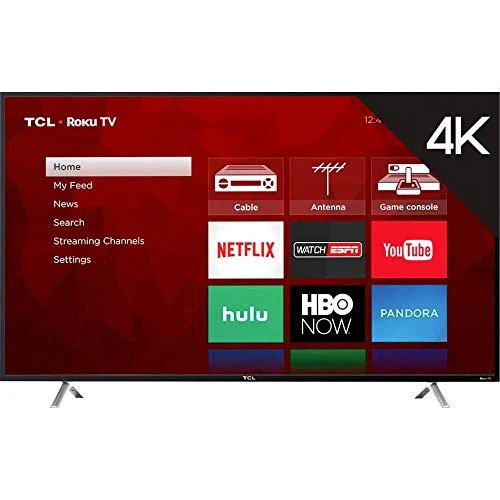
TCL 65S403 65" 4K UHD Smart Roku LED TV
$497.99 in stock
Conclusion
For those in the market for a television, but on lean budget, the TCL 32S3700 might look appealing, and it’s indeed a recommendable choice. However, for the affordable price you make few tradeoffs such as a not-so-good picture, since, its slightly bigger sibling – TCL 40FS3800 – offers 1080p resolutions and superior color accuracy affordably. That said, the 32-inch VIZIO E32-C1 remains our best bet for the budget television category. It maintains the same Roku TV features, but gets smarter in way of a 1080p resolution, and offers better contrast and surprisingly good color accuracy.