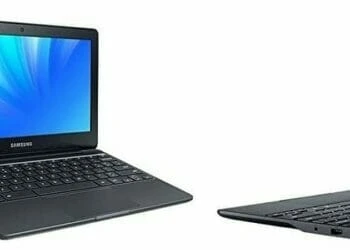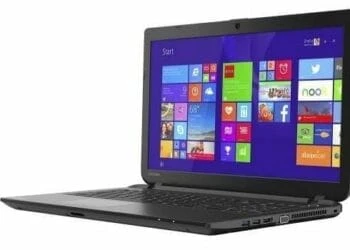

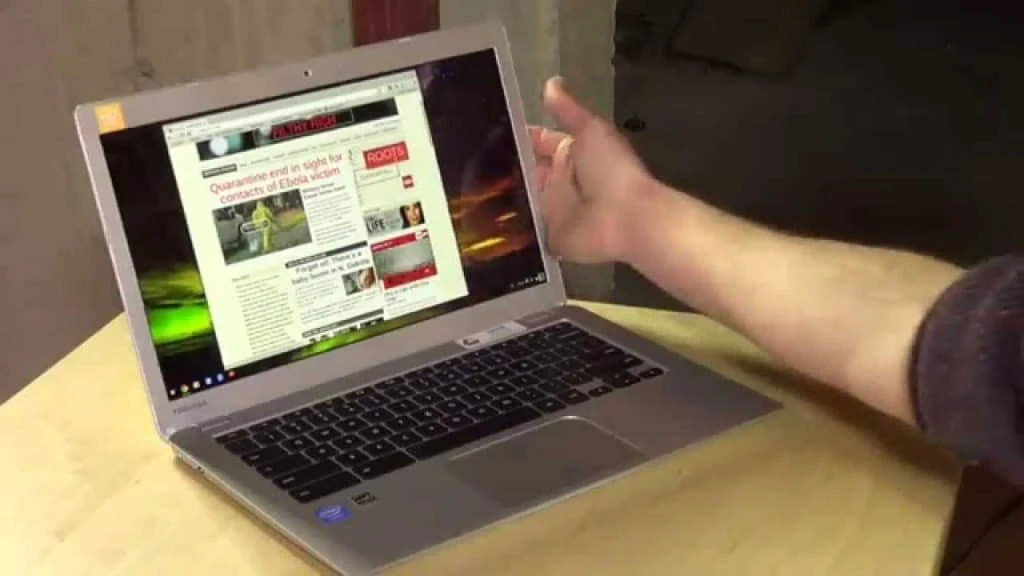
The Toshiba Chromebook 2 CB35-C3300 (2015 model) comes improve on the original Chromebook that we saw last year with a Broadwell Celeron processor, Full HD display, long battery life, backlit keyboard and an integrated virus protection. The Chromebook 2 packs a dual core fifth-generation Intel Celeron 3215U processor at 1.7GHz processor, 4GB DDR3L SDRAM memory for multitasking and a 16GB SSD for overall performance and speed which is far much better compared to a mechanical drive since the device supports cloud storage.
From the simple, humbling, endeavor of browsing the internet too serious day-to-day use, the Chromebook 2 represents excellent value for money. The Toshiba Chromebook 2 addresses some of the issues that its predecessor was burdened with. The display has been updated to crisp full HD (1920 x 1080); it is slimmer, and it looks a bit more like a premium laptop.
Design
The latter supports sleep-and-charge, meaning that devices plugged into the slot charge even when the Chromebook 2 is asleep – a handy feature when you need it. The Chromebook has a high-quality Intel dual-band 802.11ac+agn Wi-Fi – the latest and fastest version and Bluetooth 4.0 combo card installed but lacks an RJ-45 port inasmuch as it majorly supposed to be used online. In case you feel it is necessary to the RJ-45 port then you can always get yourself a USB adapter for that. The 13.3-inch, 1,920 x 1,080 IPS display is the Chromebook 2’s crowning glory.
It’s stunning and feels like it should be attached to a much more expensive laptop. Colors are rich and bright, and the quality of blacks is very impressive for such a cheap laptop. It’s great for watching films on. Viewing angles aren’t as good – brightness drops and colors distort the wider you go – but three people can watch films on it without huge difficulty.
Keyboard and Touchpad
The Toshiba Chromebook 2 features a black tile keyboard that differs slightly with ones seen on MacBooks and Windows PCs. The keyboard does away with the Caps Lock, delete and print screen buttons thereby it will take a little while to get used to it if you haven’t used a chrome before.
Additionally, the three volume keys (up, down and mute) are a little annoying to use, though. Hitting the mute button twice doesn’t mute and unmute, as you’d expect it to. Instead, you have to press the volume up key to turn the sound back on. It’s a minor issue, but an irritating one.
Display and Sound
The 13.3” display Toshiba Chromebook 2 is 320mm wide and 214mm deep, it’s about the same size as a 13-inch Apple MacBook Air, and at 19.3mm thick it’s only slightly thicker, too. That’s damn impressive given it costs a fraction of the price. It is well proportioned that it can slide into a standard messenger backpack or messenger bag unnoticed given that it measures 0.76 x 12.60 x 8.40 inches (HWD)and weighs in at 2.9 pounds, thereby making it your companion while on the move.
The speakers are tuned by Skullcandy and are completely invisible because they’re hidden beneath the keyboard. Sound quality is impressive. The speakers are loud and deliver a really crisp sound, making the Chromebook 2 great for listening to music and watching TV on.
It easily overpowered the loud whirring of the washing machine in the next room. Toshiba says the Full HD Chromebook 2 will last up to nine hours off a single charge, and the HD version will keep going for 11.5 hours. These are good numbers, and real-world use supports the claims.
Performance
The Chromebook 2 sports an Intel Celeron 3215U processor with a 1.7 GHz speed that is enough to handle your basic everyday tasks. The 4GB RAM is a much fair bargain at this price and the 16GB SSD, which is used to hold anything incompatible with Google Drive. Since this is a Chromebook, most of your files will be stored in the cloud. The Toshiba Chromebook 2 comes with 100GB of free cloud storage via Drive, which is like Google’s own version of Microsoft’s Office suite.
For the game enthusiasts, it is bad news since the processor cannot run top level Windows games like Battlefield 4 or Grand Theft Auto 5. But if you are a geek, installing Linux and using windows emulators will quench your thirst for playing games. However, for an average Jim that will be an uphill task. It also features the Intel HD integrated graphics that are not powerful enough to handle demanding games thereby leaving you with the option of playing browser games.
On the flipside, issues around performance that dogged the original Toshiba Chromebook still exist – although they’re not as crippling. However, with a few more bucks you can improve the experience by purchasing the Chromebook 2 model with the Intel i3-5015U processor at 2.10 GHz speed with everything else the same.
As far as ports are concerned, they are identical to last year’s model. The right side features a 3.5mm audio jack, one USB 3.0 port, HDMI-out port that you can hook to your television and a Kensington lock hole. The left side has a full-size SD card slot, a USB 2.0 port and a power port. An optical drive is missing in Chromebooks but that is a non-issue since the OS has limitations on what you can do with them, and you have the option of connecting an external hard drive using the USB to access your data in discs.
Summary
The latest Toshiba Chromebook 2 CB35-C3300 is one of the few decent Chrome-powered systems we are seeing lately, although many are trickling into the market with even Core-i5 processors and other tweaks. The Chromebook has a great screen, looks good and delivers in every way that matters, especially for starters on a budget. The color quality and image rendering on the Full HD screen quality remain the greatest strength of this Chromebook with very clear texts and easy to view multimedia with vibrant colors.
Considering the price and all that the Chromebook offers, it is worth to be at the top of your shopping list but if you need more processing power on Android OS, then a Chromebook like our Editors’ Choice the Acer Chromebook 15 CB5-571-58HF is what we can call a “step in the right direction” thanks to its 15-inch Full HD (1,920-by-1,080 pixel) screen, 5th Generation Intel Core i5-5200U 2.2 GHz (3MB Cache) processor, paired with 4GB of RAM for seamless multitasking.
The Review
Toshiba Chromebook 2
The Chromebook 2 packs a dual core fifth-generation Intel Celeron 3215U processor at 1.7GHz processor, 4GB DDR3L SDRAM memory for multitasking and a 16GB SSD for overall performance and speed.
PROS
- Excellent Full HD display
- Good battery life
CONS
- The sound quality is a bit laggy
Review Breakdown
-
EDITORS RATING